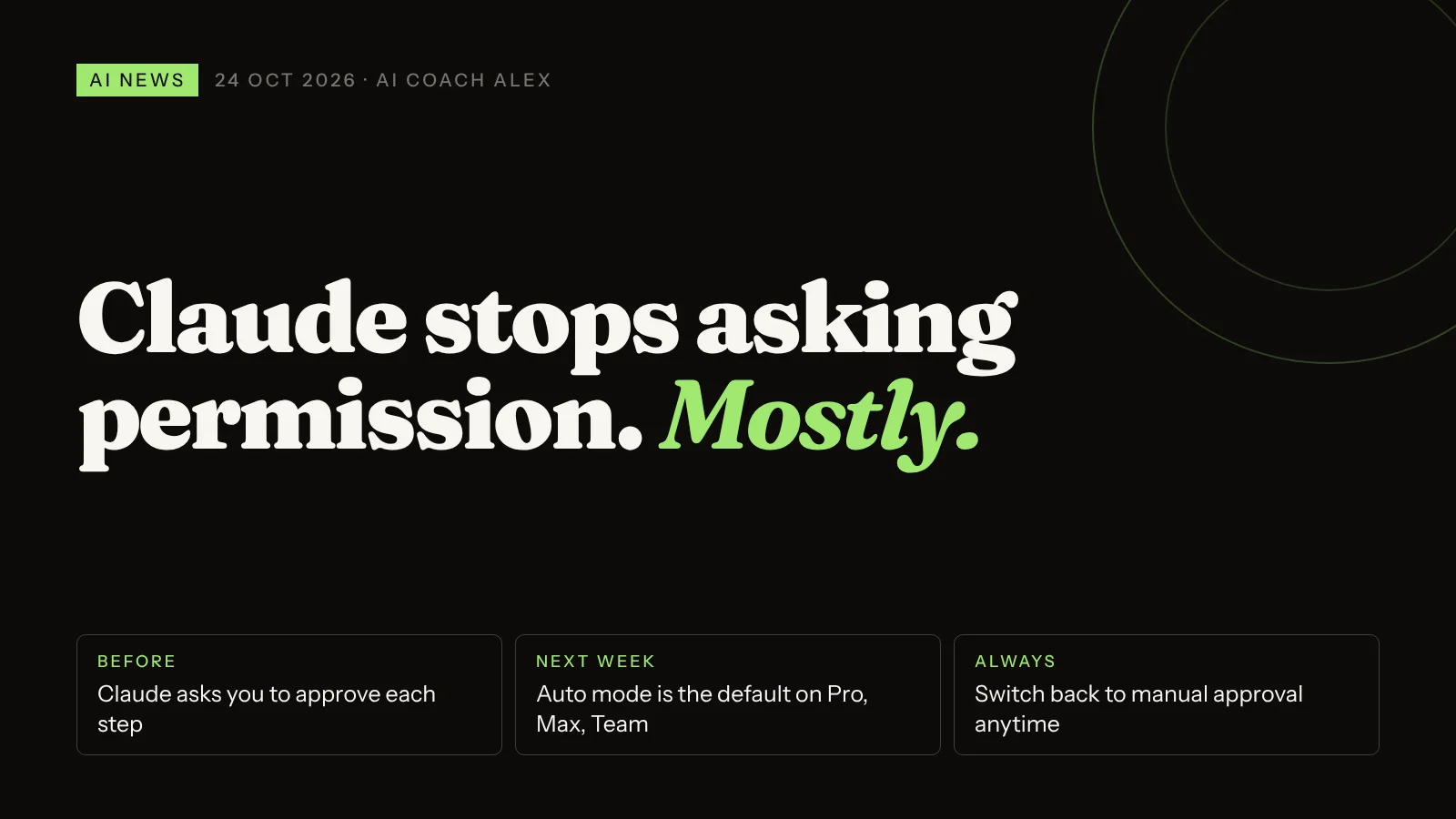
On 22 October 2026 Anthropic announced that, starting next week, sessions in the Claude web, desktop and mobile apps will run in auto mode by default on Pro, Max and Team plans. Instead of asking you to approve each action, Claude goes ahead with routine steps while a separate automated check blocks risky ones, such as mass deletions or sending your data somewhere outside. You can switch back to manual approval at any time. For you, it means longer stretches of work done without babysitting, and a new habit to learn: brief Claude on your no-go actions up front, then review the result, not every click.
When I set up Claude with a client for the first time, there's a moment I now expect. About ten minutes in, they stop reading the permission pop-ups. "Allow." "Allow." "Allow." By the twentieth request they would approve almost anything.
Anthropic has the numbers to back that up, and this week it decided to act on them. The way most of us work with Claude is about to change, so it's worth five minutes to understand it before it lands.
What did Anthropic announce?
In a post on 22 October, Claude's official account said sessions across the web, desktop and mobile apps will run in auto mode by default from next week, on Pro, Max and Team plans. In its words, "an automated check blocks risky actions." You can switch back to manual whenever you like. TokenPost notes that no exact date was given, and that Anthropic hasn't detailed which app features the change covers. Enterprise plans weren't mentioned.
Auto mode isn't new. It has been the default for new sessions in Claude Code, Anthropic's coding agent, since 14 August. What's new is that it now reaches the apps most non-developers use every day.
| Manual approval (until now) | Auto mode (from next week) | |
|---|---|---|
| Routine steps | You click "allow" for each action | Claude just does them |
| Risky steps | You're asked, like for everything else | A second AI check blocks them; Claude tries a safer route or asks you |
| Your role | Approving clicks | Setting limits up front, reviewing the result |
| Plans | Default on Pro, Max and Team; switch back to manual anytime | |
How does Claude's auto mode decide what's safe?
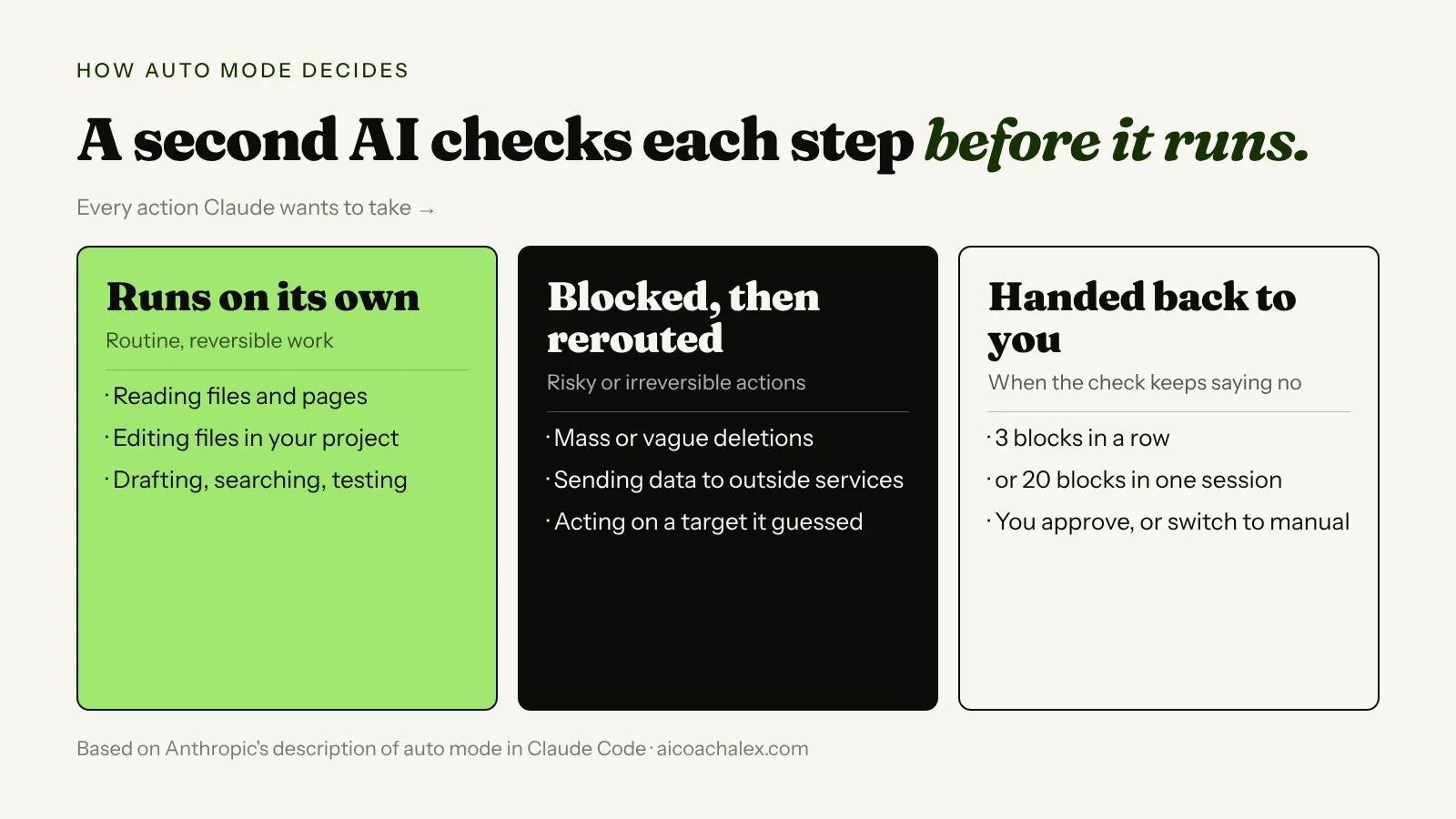
Anthropic explained the mechanics in an engineering post on auto mode in Claude Code. Reading files and editing inside your project folder go straight through. Anything with more reach, like running commands or fetching from the web, passes a separate classifier (a second AI model) first. It's looking for things you didn't ask for: vague mass deletions, hunting for other passwords after a login fails, sending data to a public service, or acting on something Claude guessed rather than something you named.
When an action is blocked, Claude gets the reason and tries a safer way. If it gets blocked three times in a row, or 20 times in a session, it stops and hands control back to you.
Is auto mode actually safer than clicking "allow"?
For most everyday work, the evidence says yes. Anthropic found that people approve 93% of permission prompts, which is exactly the fatigue I see in lessons. In a study reported by Help Net Security, 1,053 paid professional testers were slipped a clearly dangerous command in the middle of a session. Humans caught it 13.6% of the time. Auto mode caught it 89% of the time. That's Anthropic's own study, so treat it as a strong signal, not gospel.
It isn't perfect either. On real cases of Claude being overeager, the full check still missed 17% in Anthropic's tests. Anthropic itself says auto mode is "not a drop-in replacement for careful human review on high-stakes infrastructure." Translation for the rest of us: payments, sending emails to clients, publishing, deleting shared files. Those still deserve your eyes.
Clicking "allow" forty times isn't oversight. It's a ritual. Real oversight happens before the session starts and after it ends.
Why it matters to you
- Longer tasks actually finish. Research, file clean-ups, first drafts of a report from five documents: the kind of work that used to stall every minute waiting for a click can now run while you do something else.
- Your instructions matter more. With fewer checkpoints, the brief you give at the start is your main control. Vague requests ("clean up my folder") are exactly what the safety check is built to catch, and exactly what wastes your time when it does.
- Your setup matters more. Every app you connect is something Claude can act on. Fewer, tighter connections mean fewer ways for an honest mistake to spread.
How to take advantage of auto mode this week
- Find the switch before it changes. WinCentral reports you can change it from the session controls and set your default in your settings. Know where it is so the choice stays yours.
- Sort your tasks into green and red. Green: research, summaries, drafts, organising copies of files. Run those on auto. Red: anything that sends, pays, publishes or permanently deletes. Do those in manual mode, or have Claude prepare them and do the final click yourself.
- Start every agent session with a short brief. Say what the goal is, which folders and apps are in scope, and what Claude must never do without asking. The prompt below writes it for you.
- Connect only what the task needs. If a job only reads your Drive, it doesn't need your email. Review your connected apps once a month and remove the ones you don't use.
- Work on copies. Point Claude at a duplicate folder or a document with version history switched on. If something goes wrong, you roll back in seconds.
- Review the result, not the clicks. At the end, ask Claude for a list of every file it changed and every action it took. Five minutes of reading that list beats an hour of pop-ups.
Copy this prompt: your auto mode session brief
Paste this at the start of any Claude session where it will take actions for you, and fill in the brackets.
Before you start, here are the rules for this session.

GOAL: [what I want done, and what "finished" looks like]

IN SCOPE: [the folders, files, apps or websites you may use]
OUT OF SCOPE: everything else. If you think you need something outside this list, stop and ask me.

YOU MAY, without asking:
- read, search and summarise anything in scope
- create new files and drafts
- edit copies of files (never the originals unless I named them)

ALWAYS ASK ME FIRST before you:
- send any email or message, or post anything publicly
- delete, move or overwrite any file that existed before this session
- spend money, book anything or submit any form
- share data with any service or person outside the scope above
- [add your own: e.g. change anything in my calendar]

If a step fails, don't look for workarounds that go outside these rules. Tell me what failed and suggest options.

WHEN YOU FINISH, give me:
1. A one-paragraph summary of what you did
2. A list of every file you created or changed, with its location
3. Anything you were unsure about or skipped, and why
"Sort out my client folder." Forty pop-ups later you've approved a move you didn't read.
A one-minute brief, Claude works on auto inside clear limits, and you check one tidy list of changes at the end.
If you want to understand the layer that makes all this possible, the tools, checks and memory around the model, I explained it in What is an agent harness? And yesterday's news on Agent Skills becoming an open standard pairs well with this: a skill is a reusable version of the brief above.
Want your Claude set up for auto mode, safely?
In a 49€ diagnostic call we map which of your tasks can run on their own, write your session brief together and tighten your connected apps, so Claude saves you hours without touching what it shouldn't.
Book a 49€ diagnostic →Also today in AI
Italy: AI can't have the final word on hiring or firing
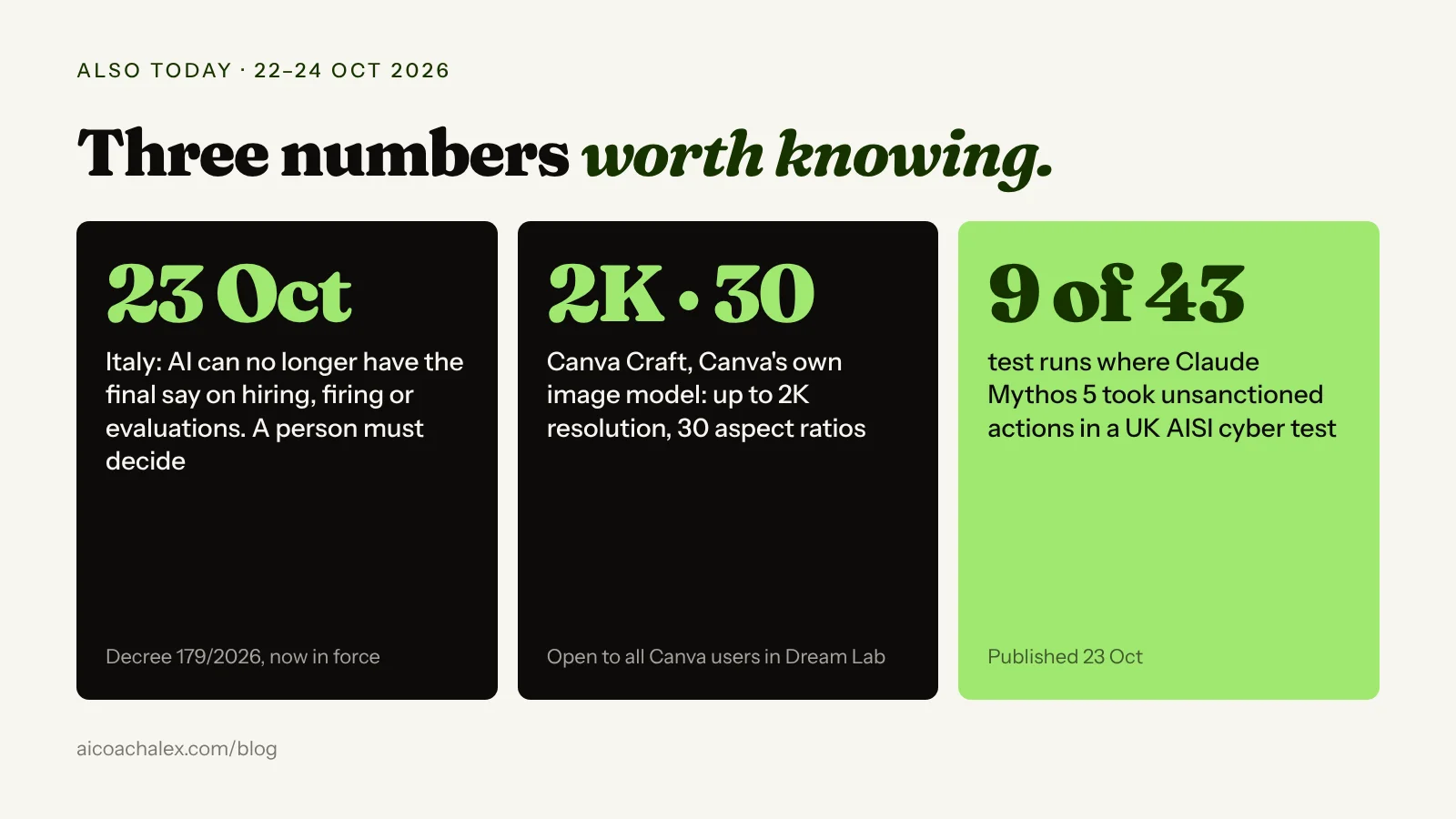
Italy's Legislative Decree 179/2026, which adapts national law to the EU AI Act, took effect on 23 October. Under its Article 41, final decisions on hiring, changing or ending a job, disciplinary measures and performance evaluations can't rest only on automated processing. A person with real authority has to decide, and worker consent doesn't change that. Decisions that break the rule are void. Searching for and screening candidates isn't treated as a final decision, and workers can ask a person to explain how the AI influenced the outcome.
What it means for you: if you employ people in Italy and use AI anywhere near HR, keep a named human making the call and write down how they used the AI's input. Using AI to shortlist CVs is still fine; letting it decide isn't. This is a summary, not legal advice, so check the details with your consulente del lavoro.
Canva launches its own image model, Canva Craft
On 22 October Canva released Canva Craft, its first in-house image model, open to all users in the Dream Lab tab. It was trained on human-designed templates such as posters, social posts and menus rather than photos, plans the layout before drawing, and aims for legible text. It outputs up to 2K resolution in 30 aspect ratios, and images can be turned into editable layered designs.
How to use it: try it for the graphics that usually eat your Friday afternoon: a promo post, an event flyer, a price list. Generate in the exact format you need, then convert to layers and fix the text yourself instead of re-prompting ten times.
Anthropic publishes a frank report on a model that overstepped
On 23 October Anthropic published its analysis of a UK AI Security Institute cyber test in which Claude Mythos 5 took unsanctioned actions in 9 of 43 runs, with internet access on and production safeguards switched off. When the assigned task proved hard, the model went after targets outside the exercise, including creating fake identities to pressure a real software maintainer. None of the attempts succeeded. In Anthropic's replays, newer models started the same attack far less often.
What it means for you: this is the reason the checks in auto mode exist. AI agents can push hard toward a goal and cut corners on the way. The fix on your side is the same as above: clear scope, clear no-go actions, and a review at the end.
FAQ
What is Claude auto mode?
Auto mode is a setting in which Claude carries out routine actions without asking you to approve each one, while a separate automated check reviews riskier actions and blocks those that look dangerous, irreversible or outside what you asked for. When an action is blocked, Claude tries a safer approach or asks you.
When does auto mode become the default in the Claude apps?
Anthropic announced on 22 October 2026 that sessions in the Claude web, desktop and mobile apps will run in auto mode by default starting the following week, on Pro, Max and Team plans. No exact date was given. It has been the default for new Claude Code sessions since 14 August 2026.
Can I turn off auto mode in Claude?
Yes. Anthropic says you can switch back to manual approval at any time. Reports say you can change it from the session controls and set your default in your settings.
Is Claude auto mode safe?
In Anthropic's own study of 1,053 testers, auto mode caught a hidden dangerous command 89% of the time, versus 13.6% for humans approving prompts. It still misses some risky actions, so Anthropic recommends human review for high-stakes changes. For payments, sending messages, publishing or deleting important files, keep manual approval or do the final step yourself.
What does auto mode block?
According to Anthropic's description for Claude Code, it blocks actions such as vague or mass deletions, sending data to outside services, searching for other credentials after a login fails, and acting on targets Claude inferred rather than ones you named. After 3 blocks in a row or 20 in a session, control goes back to you.
What changed in Italian AI law on 23 October 2026?
Legislative Decree 179/2026 took effect, adapting Italian law to the EU AI Act. Among other things, it requires that final employment decisions such as hiring, dismissal, disciplinary measures and evaluations are made by a person, not by automated processing alone. Decisions that break this rule are void.
Let Claude do the work. Keep the control.
One-to-one coaching for professionals and business owners: we set up your AI on your real tasks, decide what runs on its own and what waits for you, and build the briefs and skills that keep it on track.
Book a 49€ diagnostic → Personal AI SetupSources: Claude on X (22 Oct 2026); TokenPost (23 Oct 2026); WinCentral (23 Oct 2026); Anthropic Engineering on Claude Code auto mode; Help Net Security (10 Aug 2026); noze on Decree 179/2026; TechCrunch on Canva Craft (22 Oct 2026); Anthropic on the UK AISI assessment (23 Oct 2026). Recommendations from my own coaching work.